Games
QRetro has four games: Draw & Guess, Sprint in one GIF, Hangman and Decoded. Each of them works in two places:
- On its own — in the "Games" section of the left menu. A game room needs no board and no retrospective: open one, share the link, play.
- Inside a retrospective — as the icebreaker stage before the team starts writing cards.
The rules are the same in both places. The difference is only where the game lives and who runs it: in a room it is whoever can facilitate for the team, on a board it is the host of the retrospective.
The four games
| Game | What happens | Players |
|---|---|---|
| Draw & Guess | One player draws a word, everyone else guesses in the chat | 2 and up |
| Sprint in one GIF | Everyone answers a question with a GIF; all answers open at once | 1 and up |
| Hangman | The team opens a word letter by letter before the attempts run out | 1 and up |
| Decoded | One player lays a word out in emoji, everyone else guesses in the chat | 2 and up |
Starting a game room
Open Games in the left menu. The top of the page is the shelf of games — click one and it opens the "Start a game" dialog with that game already selected.
In the dialog:
- Name — what the room will be called in the list, for example "Friday warm-up".
- Space — the team the room belongs to. Owners, admins and facilitators can start a game in a team space; in your personal space you always can.
Every room stays in the list until someone deletes it, so a team can keep a standing room and come back to it. A team holds up to 10 rooms — to start an eleventh one, delete a room you no longer need. Deleting is up to the team owner or an admin, and it removes everything played in that room.
The card of a room shows who has played in it, how many rounds it has seen, and who can get in.
Inviting players
A room is team-only by default: only members of its team can open it. Switch it to Open by link from the card menu or from the share button inside the room, and anyone with the link can join — an account is not required. People who come in this way get a random name and avatar, and can play everything except uploading their own files.
Ways to bring people in:
- Copy the link and send it wherever the team talks.
- Send to Slack or Send to Telegram — if the integration is connected, QRetro posts an invitation to the team channel.
A room holds up to 12 players. When it is full, the next person sees a notice instead of the game and the host can open another room.
Running a game
A few things work the same way in every game:
- The game starts by itself. Nobody waits for the host to press "start" — the first round is there as soon as someone opens the room. In Draw & Guess and Decoded the host still hands the brush or the word to a player to begin a turn.
- Everything is live. Every letter opened, every line drawn, every GIF picked appears for all players at once.
- Timer. The host can start a timer for the room. It is not only a clock: when it runs out, the current turn closes and the GIF round reveals its answers.
- Rounds played. Below the game is the history of the room — the last 20 rounds with the word, who led the round and how it ended. For Draw & Guess you can open the drawing itself.
Draw & Guess
One player gets a word and draws it. Everyone else watches the line appear — not the finished picture — and writes guesses in the chat next to the canvas. Two players are enough.
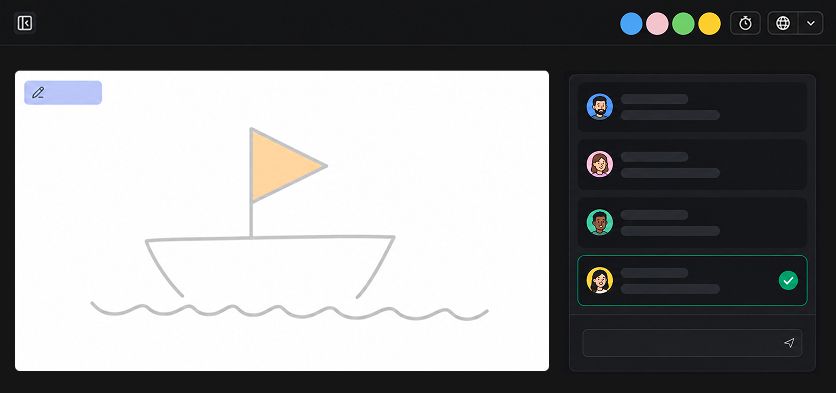
- The host hands the brush to the next player in line, or to a specific one.
- The word goes only to whoever is drawing; everyone else sees a mask of it —
_ _ _ _ _. - The one drawing gets six colours, three brush sizes, an eraser, a fill, undo and a full wipe.
- If the team is stuck, the person drawing can open a letter — up to half of the word.
- Wrong guesses show up in the chat as normal messages, so the team thinks out loud. A guess that is one or two letters off is marked as "very close", but only for the person who wrote it — in the chat it would be a hint to everyone.
- A correct guess never appears in the chat. Instead the chat says who got it and what the word was, and the turn ends there.
- When the brush has been around everyone, the circle starts over. The game does not end on its own.
Sprint in one GIF
Everyone answers the round question with an animation — for example, "Pick a GIF that sums up this sprint for you".
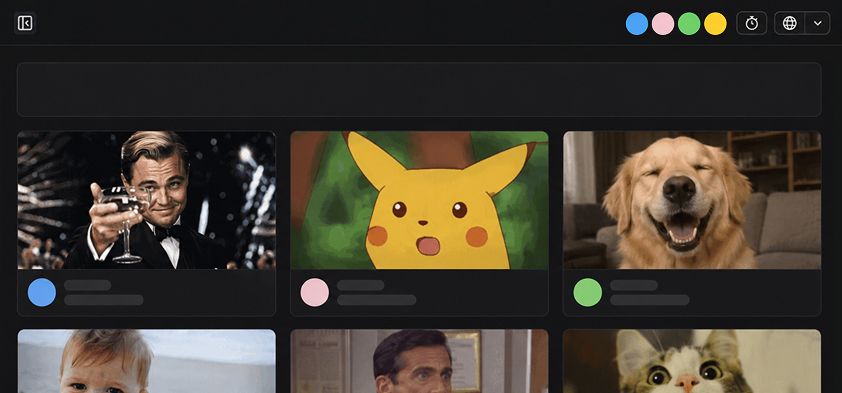
- Each player picks a GIF from the search or uploads their own image. People who joined by link without an account can only pick from the search.
- Picks stay hidden while the team is choosing — only the number of answers is visible.
- The host reveals all the answers at once, or starts the timer and they open when it runs out.
- The question can be replaced with your own until the first answer arrives; after that it is fixed so that everyone answers the same thing.
- After the reveal the host can start a new round with a different question.
Hangman
The team opens a word letter by letter, with six wrong letters allowed. Words come from the world of development, teamwork and agility.
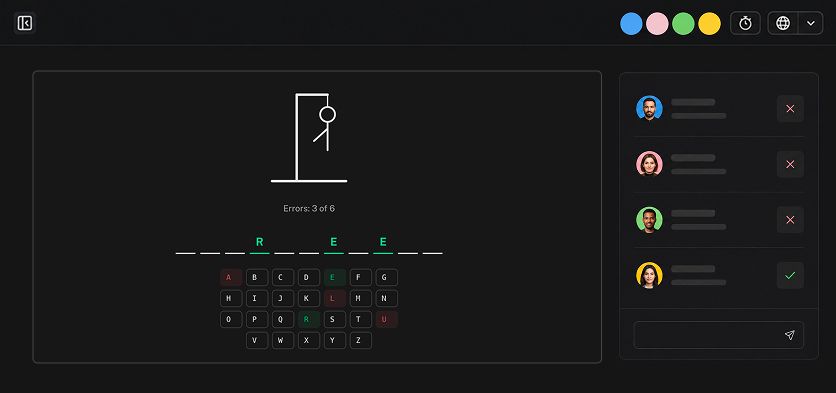
- Anyone in the room can pick a letter — the game is solved together, not in turns.
- Every letter opened is immediately visible to everyone.
- Whoever names the last letter closes the word, and the game shows who it was.
- After a win or a loss the host can start a new word.
Decoded
One player gets a word and lays it out in emoji. Everyone else guesses in the chat. Two players are enough.
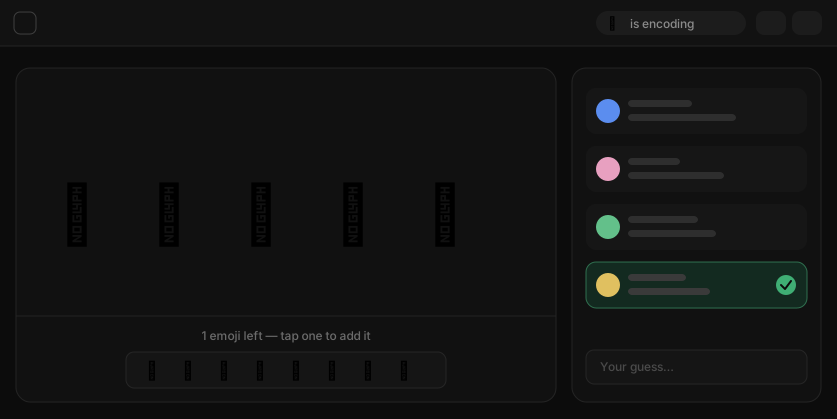
- The host hands the word to the next player in line, or to a specific one.
- The clue is up to five emoji. They can be added, removed and reordered while the round is going — the team sees each change right away.
- Letters and numbers are not allowed in the clue: the word has to be shown, not written.
- Guessing works exactly as in Draw & Guess — wrong guesses go to the chat, a near miss is marked only for its author, and the first correct guess ends the round.
Words and languages
Words for Draw & Guess, Hangman and Decoded come from a shared dictionary — the same word can turn up in several games, and words that cannot be drawn are only used where they do not have to be.
The language of the words follows the content language: on a board it is the language of the retrospective, in a game room it is the language of whoever opened it. A word does not repeat while the room still has unused ones.
Games in a retrospective
The same four games are available as the icebreaker stage of a board. Turn the stage on and pick the game when you create the board, or switch it later in board settings — even while the icebreaker is already running.
Two differences from a standalone room:
- The retrospective host runs the game, and the board timer is what closes a turn.
- Everything the team played on the board goes into the retrospective results, under "Games we played" — with the rounds, the words and who guessed them.
The icebreaker stage is described in full in the retrospectives guide.
