Creating Teams
How to Create a Team
Teams in the service are designed for organizing retrospectives or planning poker. You can connect Slack notifications to your team or import tasks from Jira. Unlike public boards, team boards are private and only accessible to team members that you add yourself. You can add or remove team members at any time.
Creating a Team
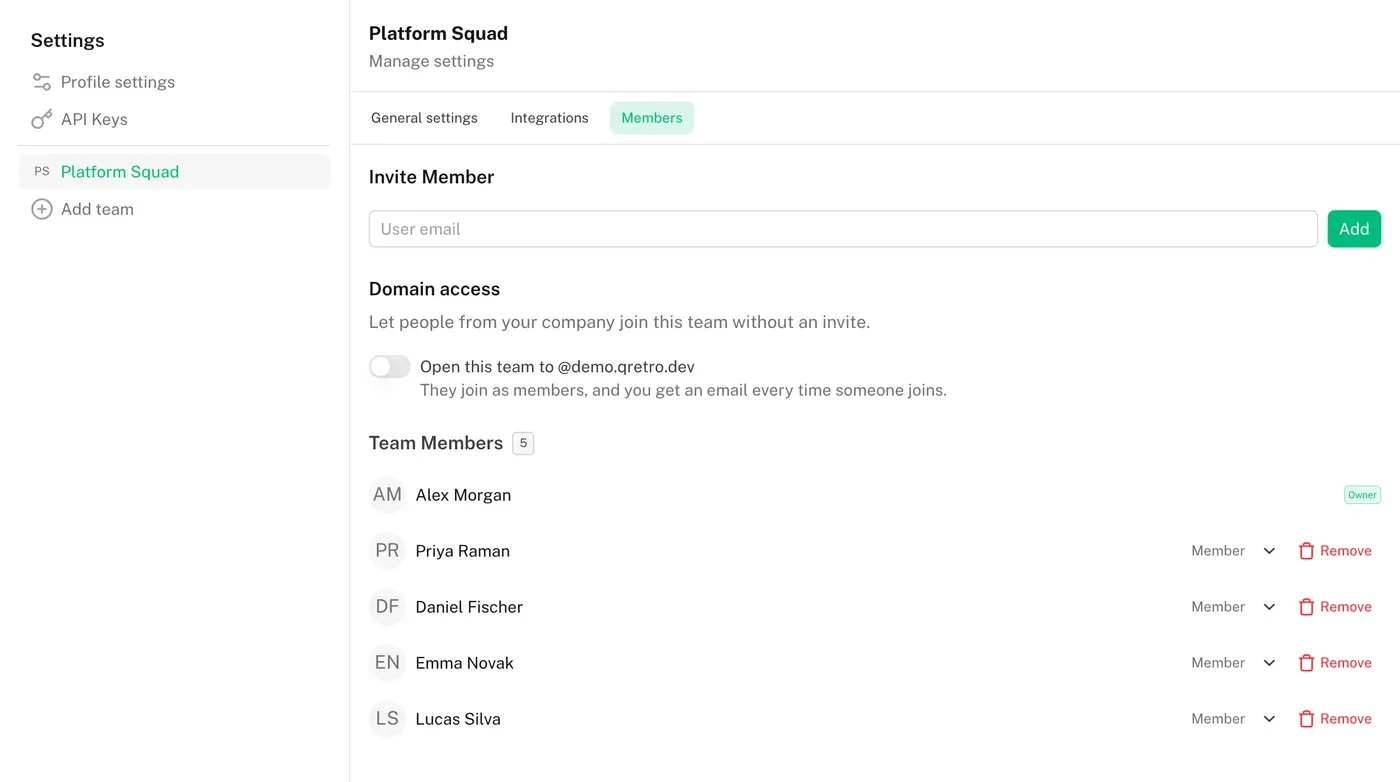
To create a team, go to settings by clicking on your avatar. In the left menu, select "Your Teams" and click the "Add Team" button. Enter the team name and confirm creation by clicking "Add".
Inviting to a Team
After creating a team, its name will appear in the left menu. By clicking on it, you will enter the team menu. There you will find an "Add User" button, where you need to enter the email of the person you want to invite. To revoke an invitation, click "Delete" in the invitation list. To remove a participant from the team, use the "Delete" button in the participants list.