Planning Poker
Why Use Planning Poker?
Planning Poker is a method for collective estimation of task complexity:
- Independent Estimates — everyone evaluates the task independently
- Discussion — different estimates stimulate discovery of hidden aspects
- Speed — cards with ready values speed up the process
How to Start Poker
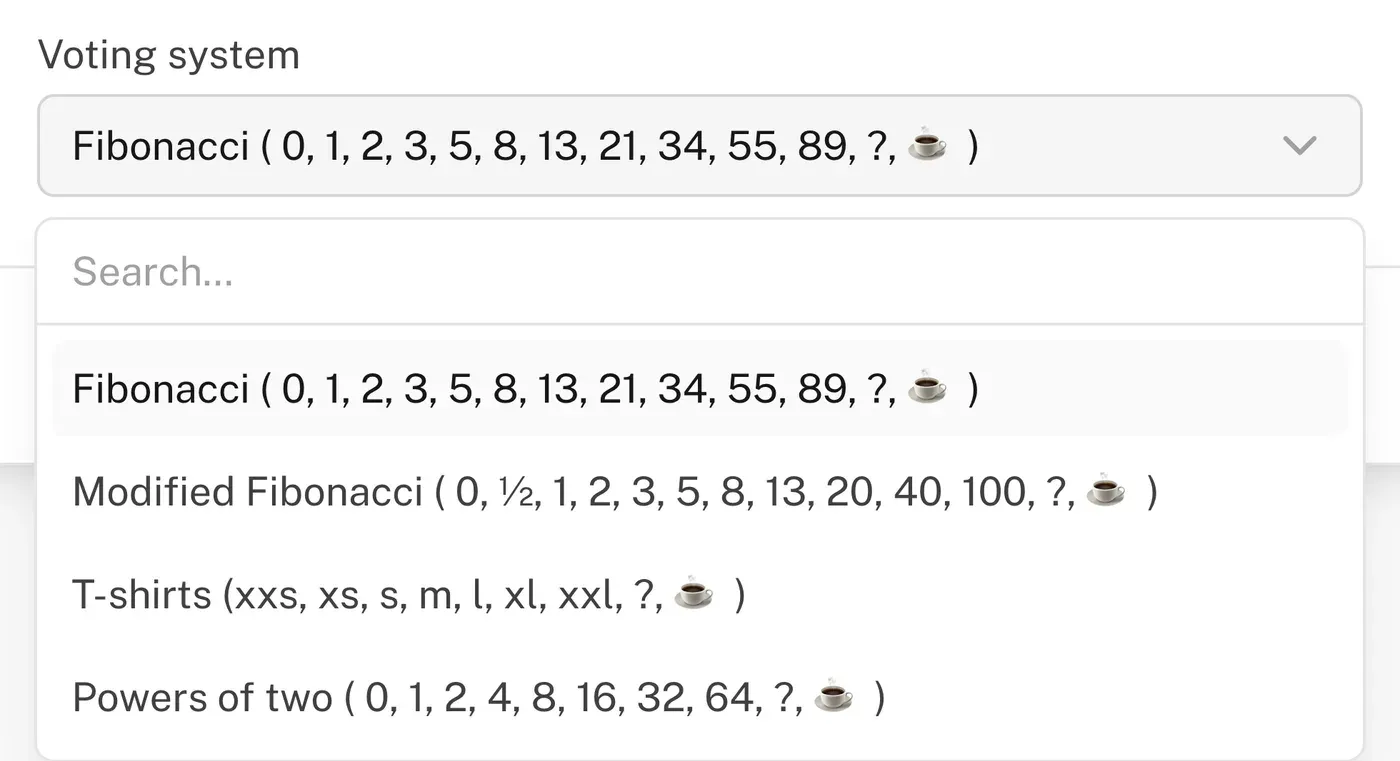
Click "New Game" and choose an estimation system:
| System | Values |
|---|---|
| Fibonacci | 0, 1, 2, 3, 5, 8, 13, 21, 34, 55, 89, ?, ☕ |
| Modified Fibonacci | 0, ½, 1, 2, 3, 5, 8, 13, 20, 40, 100, ?, ☕ |
| T-Shirt Sizes | XXS, XS, S, M, L, XL, XXL, ?, ☕ |
| Powers of Two | 0, 1, 2, 4, 8, 16, 32, 64, ?, ☕ |
Adding Tasks
Click "Create" and specify the title and description (Markdown is supported).
Import from Jira
If Jira integration is connected, click the Jira icon and select tasks to import. Tasks are added automatically.
Voting
- Share the link with participants
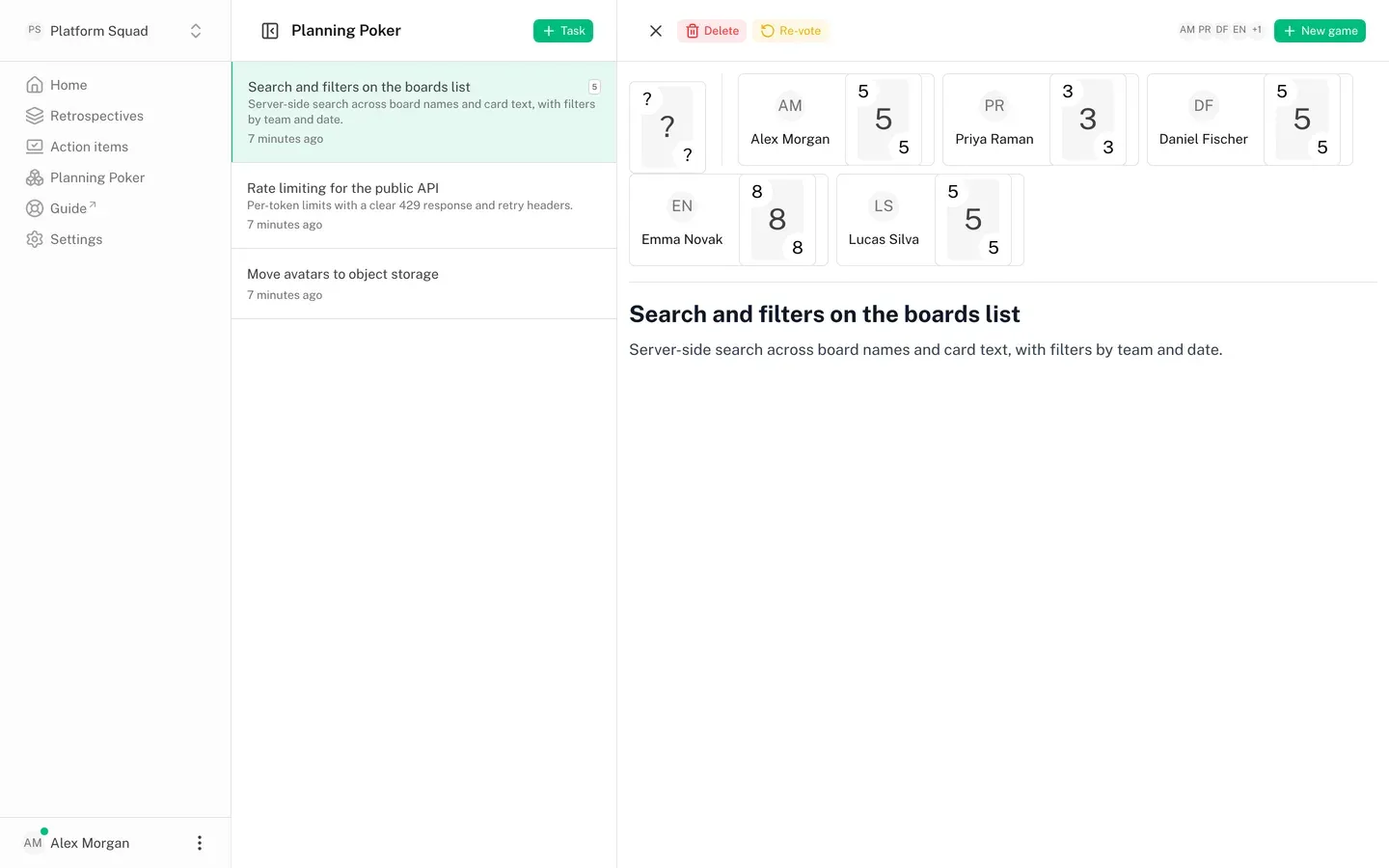
- Everyone selects a card with their estimate
- Click "Show Votes" to reveal
The average estimate is calculated automatically. For re-voting, click "Re-vote".
Jira Integration
To connect Jira:
- Select a team in the left menu
- Go to "Integrations"
- Find Jira and authorize
Integration only works for team (not public) boards.
Jira can be connected read-only or with write access. Read-only covers everything except writing back: with write access, the agreed estimate is sent to the issue's story point field. Permissions can be upgraded later without reconnecting.
Features:
- Import tasks from Jira to planning poker, by sprint or by JQL query
- Automatic sync of task descriptions and details
- Write the agreed estimate back to the issue (requires write access)
See Planning poker with Jira for the full workflow.
